LoreLeaf
Name what you want to learn. LoreLeaf lays out the path as a tree, writes every lesson at your level and brings back what you are about to forget.
See how a path growsTwo learning apps for the Mac. LoreLeaf grows any topic into a skill tree. LearnHub Studio turns your course material into an offline study hub.
14 days in full. Pay once, no account.

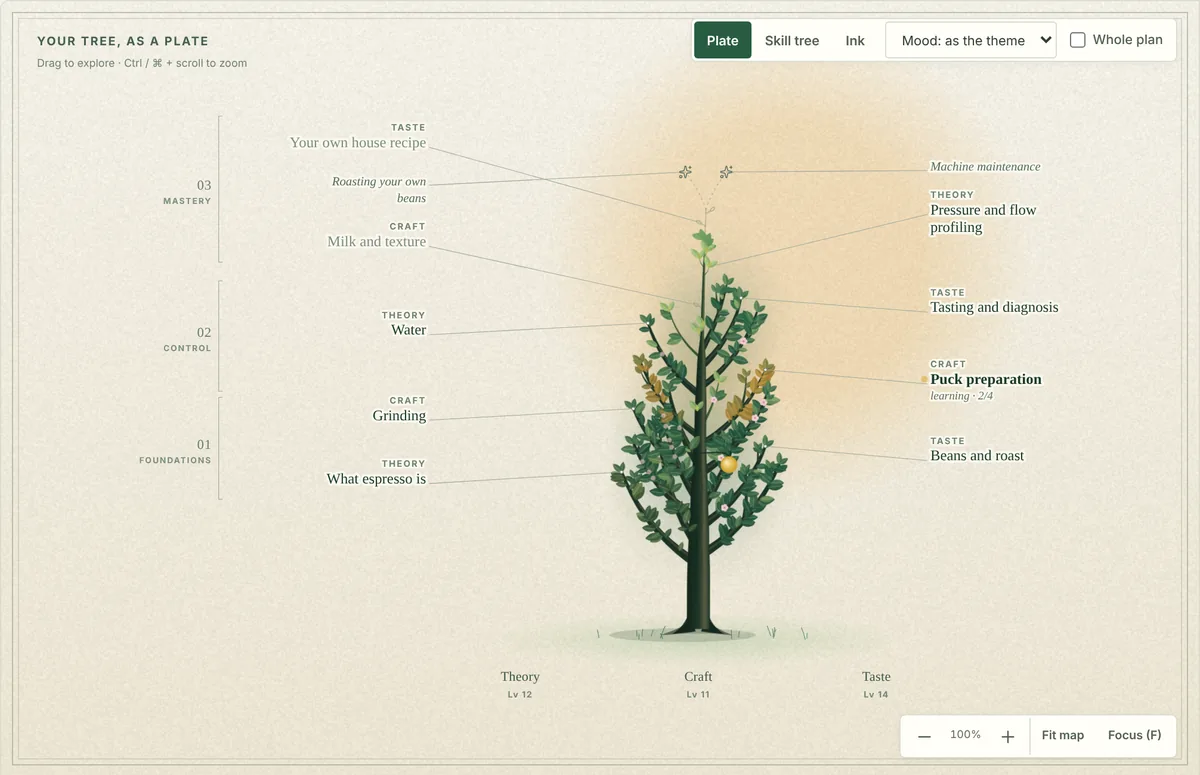
Sample path Espresso at home
A tree painted by LoreLeaf for a sample path. Every skill that is learned grows a bough.
Give either app a subject and it writes the whole course with an AI model you choose. Then it stays on your machine. No account.
Name what you want to learn. LoreLeaf lays out the path as a tree, writes every lesson at your level and brings back what you are about to forget.
See how a path grows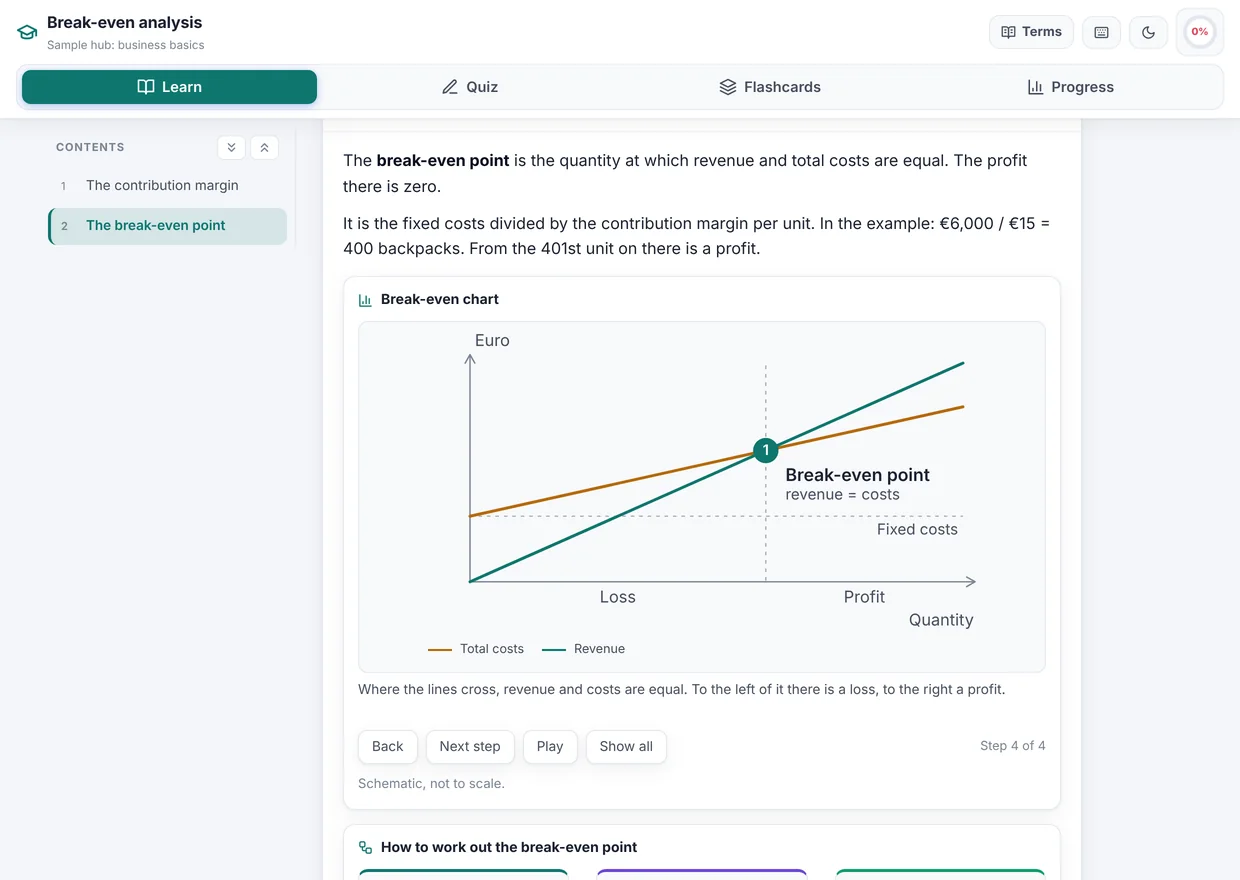
Hand it your slides, scripts and notes. It writes one file to study from: a guide, a quiz, flashcards, a study plan and a practice exam.
See what a hub containsNeither app has an account or a tracker. They talk to the AI provider you set up, and to our licence server: when you activate, and every few weeks to confirm the licence.
| What | Where it lives | What leaves your computer |
|---|---|---|
| Your paths, flashcards and progress | In LoreLeaf’s database on your computer. | When a lesson is written or the tutor answers, your AI provider gets what the model needs: the topic, your level, recent mistakes. With a local model, nothing leaves. |
| A study hub | In one HTML file, wherever you saved it. Its progress stays in the browser that opens it, or in Studio. | Nothing. A hub needs no connection. |
| Your course material | On your computer. | While a course is being written, the passages it needs go to the AI provider you chose, and nowhere else. |
| Your AI key | In the app’s settings on your computer. | It is sent only to the provider it belongs to. |
| The licence | A signed licence file on your computer. On our licence server: a fingerprint of your key, an id of your computer that is itself a fingerprint, and the name you gave the computer. | Sent when you start the trial, when you activate, and about every six hours after that while it is online, when the app confirms the licence by itself. The update check sends the app version and your licence; you can switch it off. |
| An account | There is none. | |
| Usage statistics | None are collected. | |
One licence covers three of your computers and includes twelve months of updates. After that, the version you have keeps working.
Any topic as a skill tree. For macOS; Windows is planned.
Launch price until 31 December 2026. After that €39.
Your course material as offline study hubs. For macOS; Windows is planned.
Launch price until 31 December 2026. After that €29.
Both licences in one purchase: two keys.
Launch price until 31 December 2026. After that €55.
Compare two versions of a PDF side by side and see what changed. Free, and nothing is uploaded: both files stay on your computer.

Name a topic, or drop in next week’s slides, and see what comes back.
Download the trial14 days in full. Pay once, no account.